
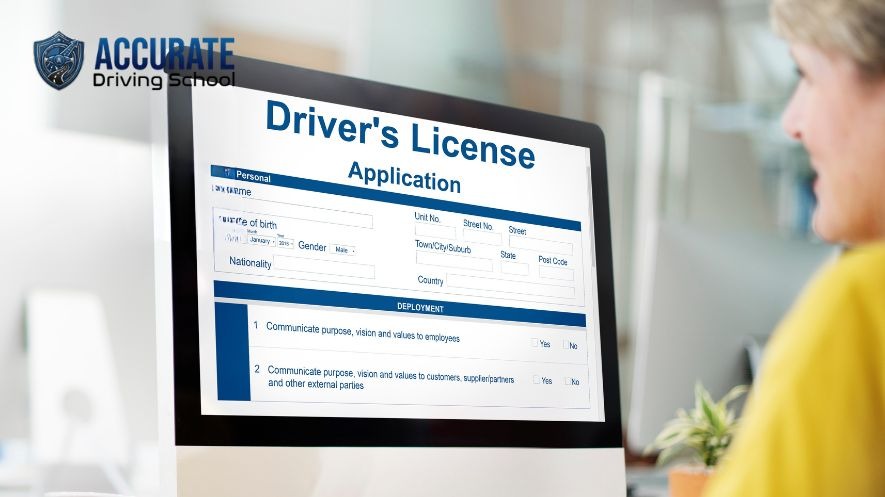
Learn the Official Way to Book Your Ontario G2 Road Test Online
Booking your G2 road test online is one of the most important steps toward earning your Ontario driver’s licence. Whether you’ve recently passed your G1 knowledge test or completed a Beginner Driver Education (BDE) course, understanding the official booking process can save you time, money, and unnecessary stress.
Many new drivers mistakenly use third-party booking websites that charge additional fees or promise earlier appointments. The safest and most reliable option is to use Ontario’s official road test booking platform.
In this guide, you’ll learn exactly how to book a G2 road test online through official platforms, what documents you’ll need, common mistakes to avoid, eligibility requirements, cancellation rules, and practical tips to help you secure the best appointment.
What Is a G2 Road Test Online?
The G2 road test is the second stage of Ontario’s Graduated Licensing System. After successfully completing the G1 written knowledge test and waiting the required time, drivers become eligible to take the G2 road test.
The purpose of the test is to evaluate whether you can safely operate a vehicle in real traffic conditions. During the examination, a licensed examiner will assess your ability to:
- Start and stop safely
- Make left and right turns
- Change lanes correctly
- Perform proper mirror and shoulder checks
- Obey traffic signs and signals
- Maintain safe following distances
- Park correctly
- Demonstrate defensive driving habits
Passing the G2 test allows you to drive independently with significantly fewer restrictions than a G1 licence.
Can You Book a G2 Road Test Online?
Yes.
Ontario allows eligible drivers to conveniently book, modify, or cancel G2 road tests online using the official DriveTest booking system. The online service operates year-round and is available at any time, making it the easiest way to schedule your appointment.
Use Only Official Platforms
When searching online, you’ll likely find many websites claiming they can help you book a road test faster.
Be cautious.
The Government of Ontario advises drivers to use only official booking services. Third-party websites often charge unnecessary service fees and cannot guarantee earlier appointments. Official guidance also warns drivers not to share licence information with unauthorized websites.
Use only:
- Official DriveTest booking website
- Ontario government driver licensing resources
These official platforms let you:
- Book a new G2 road test
- Reschedule appointments
- Cancel appointments
- View appointment details
- Receive confirmation emails
Eligibility Requirements Before Booking
Before booking your G2 road test, make sure you meet Ontario’s eligibility requirements.
Generally, you must:
- Hold a valid G1 licence.
- Complete the required waiting period.
- Meet all graduated licensing requirements.
- Have your licence information available.
Drivers who complete an approved Beginner Driver Education (BDE) course may become eligible earlier than those who do not complete driver training.
Information You’ll Need Before Booking
To complete your booking smoothly, have the following ready:
- Ontario driver’s licence number
- Driver’s licence expiry date
- Email address
- Preferred DriveTest location
- Alternative testing locations
- Preferred date and time
- Payment method if applicable
The official booking system also recommends using an up-to-date browser and ensuring you can receive confirmation emails.
Step-by-Step Guide to Book a G2 Road Test Online
Step 1: Visit the Official Booking Website
Open the official Ontario DriveTest booking portal.
Avoid clicking advertisements or unofficial booking companies that appear in search results.
Step 2: Enter Your Driver Information
Provide:
- Driver’s licence number
- Licence expiry date
- Email address
Double-check every detail before proceeding.
Even a small typing error can prevent access to the booking system.
Step 3: Verify Your Eligibility
The system automatically checks whether you’re eligible to schedule a G2 road test.
If you aren’t yet eligible, available appointment dates may not appear.
Step 4: Select “G2 Road Test”
Choose the correct licence class.
Selecting the wrong road test could delay your licensing process.
Step 5: Choose Your Preferred DriveTest Centre
Ontario has multiple DriveTest locations.
Select:
- First choice
- Second choice
- Third choice
Being flexible often helps you secure an earlier appointment.
Step 6: Pick a Date and Time
Browse the available calendar.
Morning appointments are often preferred because:
- Roads may be less congested
- Drivers are generally more alert
- Weather conditions can be more predictable
Choose a date that allows enough time for practice before your examination.
Step 7: Review Your Booking
Before confirming:
- Check your location
- Verify the date
- Confirm the appointment time
- Ensure your licence details are correct
Step 8: Confirm the Appointment
After confirmation, you’ll receive an email containing your booking details.
Save this confirmation for future reference.
Can You Reschedule or Cancel Your G2 Road Test?
Yes.
Life happens.
If your schedule changes, you can modify or cancel your appointment online.
Ontario generally requires cancellations to be made at least 48 hours before the scheduled road test to avoid cancellation fees.
Common Booking Mistakes to Avoid
Many new drivers experience unnecessary delays because of simple mistakes.
Avoid these common issues:
Using unofficial booking websites
Never pay third-party companies unless you fully understand the service they provide.
Waiting until the last minute
Popular locations fill quickly.
Book early whenever possible.
Entering incorrect licence information
Incorrect licence numbers or expiry dates can prevent successful booking.
Choosing an inconvenient location
Select a DriveTest centre that you’re familiar with.
Practicing in the same area can improve confidence.
Ignoring confirmation emails
Always keep your booking confirmation.
What Should You Bring on Test Day?
Prepare everything in advance.
Bring:
- Valid Ontario driver’s licence
- Safe, roadworthy vehicle
- Proof of insurance
- Vehicle registration
- Appointment confirmation (recommended)
Ensure your vehicle has:
- Working brake lights
- Turn signals
- Horn
- Windshield wipers
- Proper tire condition
- Functional seat belts
A vehicle that does not meet safety requirements may result in your road test being cancelled.
Tips to Increase Your Chances of Passing
Booking your test is only the beginning.
Preparation is what truly matters.
Practice:
- Parallel parking
- Three-point turns
- Emergency stops
- Lane changes
- Residential driving
- Busy intersections
- School zones
- Speed control
- Mirror checks
- Shoulder checks
Driving lessons with experienced instructors can help identify habits you may not notice yourself.
Why Learn With a Professional Driving School?
A professional driving school provides structured instruction designed to prepare you for real road conditions—not just the road test.
Benefits include:
- Experienced instructors
- Mock road tests
- Defensive driving techniques
- Local route familiarity
- Confidence building
- Personalized feedback
Students who receive professional instruction often feel more comfortable and better prepared during their G2 examination.
Frequently Asked Questions
Is booking a G2 road test online free?
Your first G2 road test is often covered by the licensing package paid when obtaining your G1 licence, while additional attempts or certain situations may require payment. The booking system will indicate whether payment is required.
Can I change my appointment later?
Yes.
You can reschedule online if appointments are available.
How early should I arrive?
Plan to arrive at least 30 minutes before your scheduled appointment.
This gives you enough time for check-in and vehicle inspection.
What happens if I fail?
If you do not pass, you can book another G2 road test after paying the applicable fee.
Continue practicing and focus on the examiner’s feedback.
Can I book by phone instead?
Yes.
Ontario also allows booking through the DriveTest call centre or in person at a DriveTest Centre.
Final Thoughts
Booking your G2 road test online through official platforms is a straightforward process when you know what to expect. By using the official DriveTest booking system, preparing your documents in advance, and avoiding unofficial websites, you can secure your appointment with confidence.
Remember that passing your G2 road test is not just about obtaining a licence—it’s about developing the skills needed to become a safe, responsible, and confident driver for life.
If you’re planning to take your G2 road test soon, start practicing regularly, learn the local testing routes, and consider taking professional driving lessons to maximize your chances of success.
Ready to Pass Your G2 Road Test?
At Accurate Driving School, our certified instructors help students prepare with professional in-car lessons, mock road tests, defensive driving techniques, and personalized coaching. Whether you’re booking your first G2 road test or preparing for a retest, we’re here to help you become a safe and confident driver.
Contact us today to schedule your driving lessons and take the next step toward earning your Ontario G2 licence.